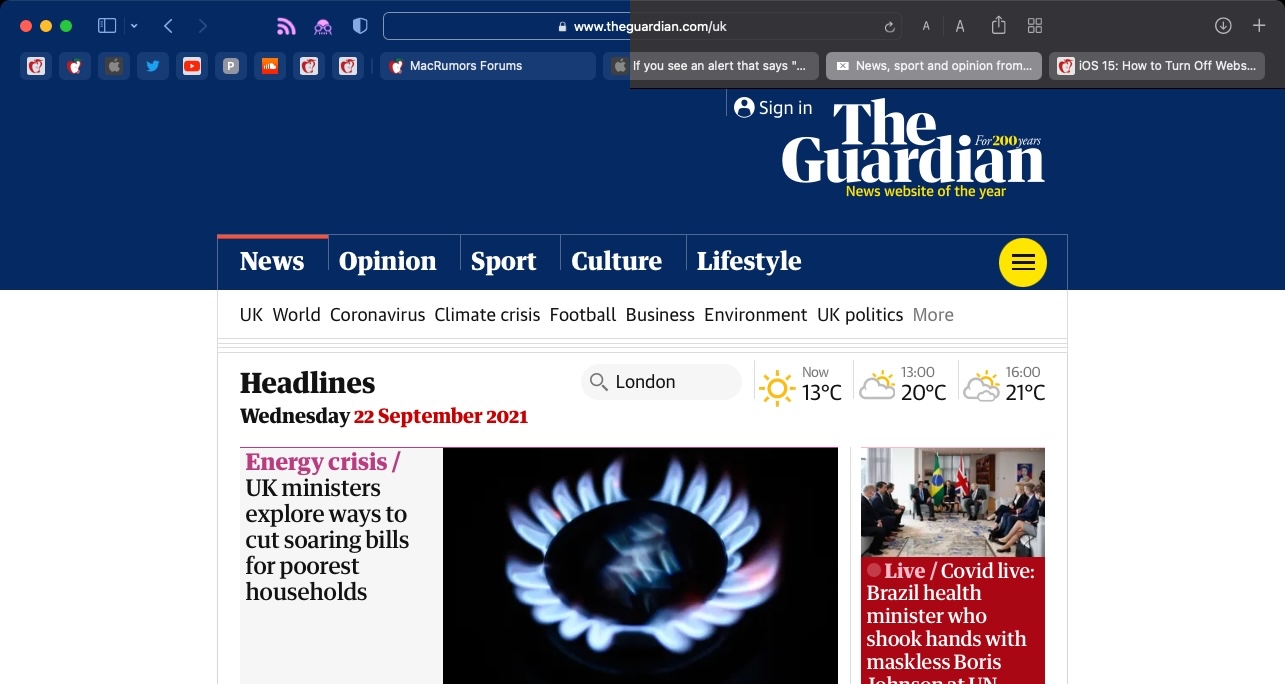
Tab bar coloring on (left) versus coloring off (right) in dark mode
Tab bar coloring, or website tinting, happens when the color of Safari's interface changes around the tabs, bookmark, and navigation button areas to match the color of the website you're viewing.
The idea behind tinting is that it allows the browser interface to fade into the background and create a more immersive experience. However, the effect doesn't always look great, especially if you have several windows arranged on your desktop. Happily, Apple chose to include an option to turn it off.
- Launch Safari, then select Safari -> Preferences... from the menu bar.
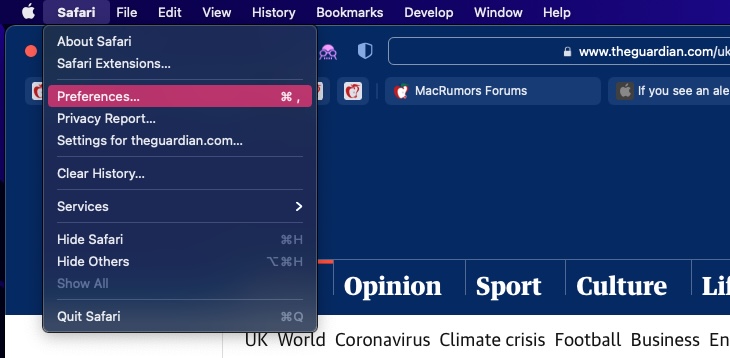
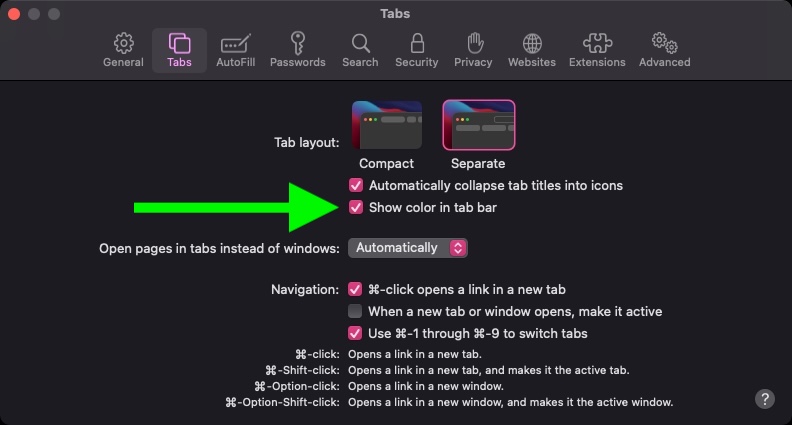
- Select the Tabs panel.
- Uncheck the box next to Show color in tab bar.
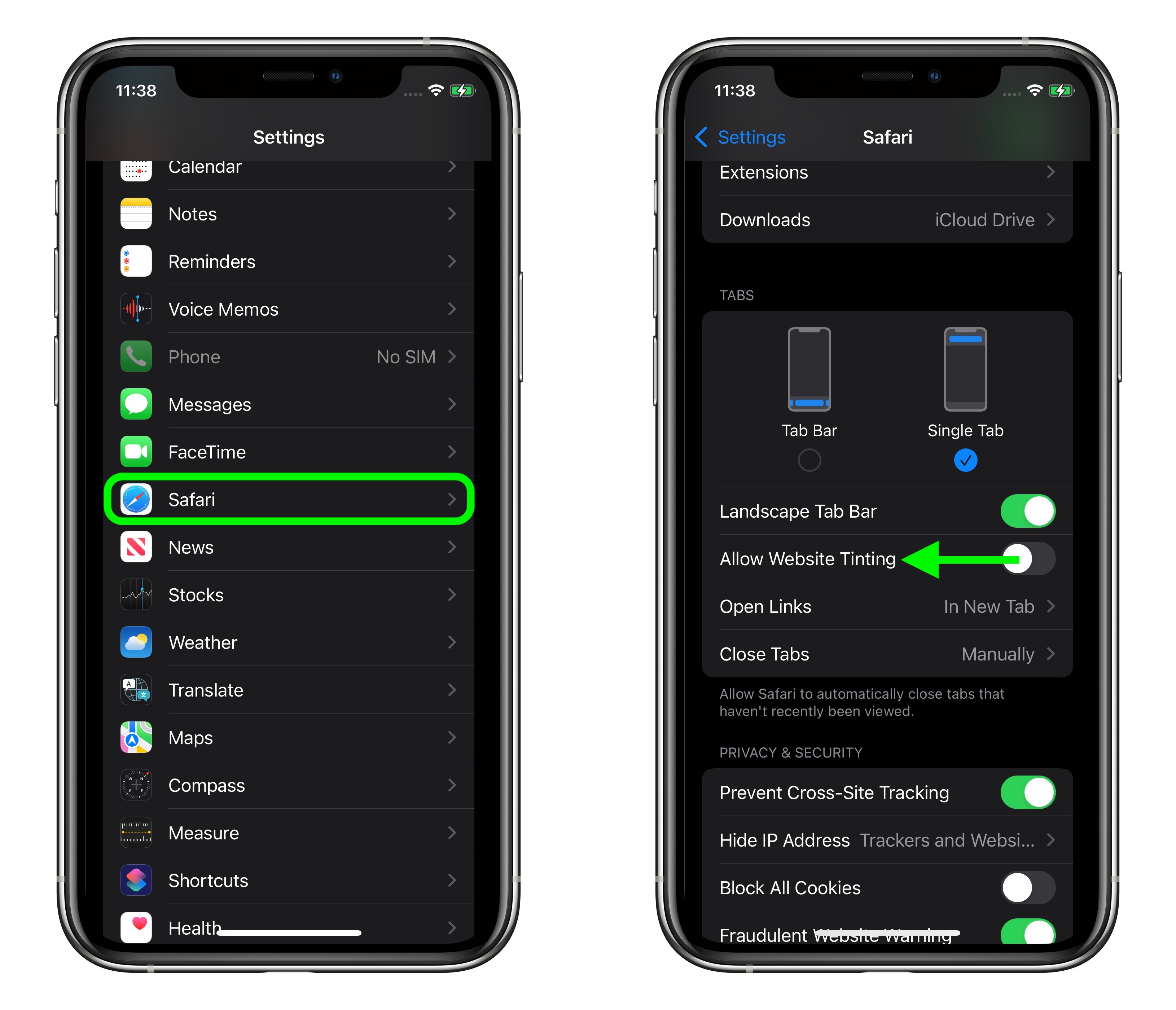
In previous versions of iOS, Apple included a "Show Color in Tab Bar" accessibility setting, which basically had the same effect as the new "Allow Website Tinting" toggle. The fact that Apple made the option more prominent suggests user aversion to tinting is more common than previously thought.
Related Roundups: macOS Big Sur, macOS Monterey
Tag: Safari
This article, "How to Disable Tab Bar Coloring in Safari 15 on macOS" first appeared on MacRumors.com
Discuss this article in our forums


0 Commentaires