10 Things to Do Before Installing iOS 12.5.5 is a post by Adam Mills from Gotta Be Mobile.
There are some steps you should take before you install Apple’s iOS 12.5.5 update on your iPhone, an iPad, or iPad touch.
iOS 12.5.5 is a small point release for devices left behind on iOS 12. The software, while small, is important. It has three security patches on board.
If you’re running iOS 12.5.4 and moving to iOS 12.5.5, you get the shortest list of changes and the smallest download size.
If you’re running an older version of iOS, your iOS 12.5.5 update and download may be larger thanks to the updates you skipped. Changes from updates you skipped are baked into your upgrade.
It’s impossible to predict how your device will react to the move to iOS 12.5.5. While some of you might see a performance boost, many others will run into bugs and performance issues that could have a big impact on your day-to-day use.
A little prep work can go a long way toward preventing problems and headaches and that’s why we recommend spending sometime preparing yourself and your device ahead of your upgrade.
If iOS 12.5.5 starts causing problems, you can try downgrading your device’s software back to iOS 12.5.4. Apple is currently signing on the previous version of iOS 12.
Apple isn’t signing on anything older than iOS 12.5.4. So if you’re thinking about making the move to iOS 12.5.5, and you’re currently running software older than iOS 12.5.4, proceed with caution. Once you move to iOS 12.5.5, there’s no getting back.
We’ve put together plan that takes you through some of the things we do before we install iOS software. These tips will come in handy as you transition your device from whatever it’s currently running to iOS 12.5.5.
Backup Your Data |
|||||||||||
 |
|||||||||||
|
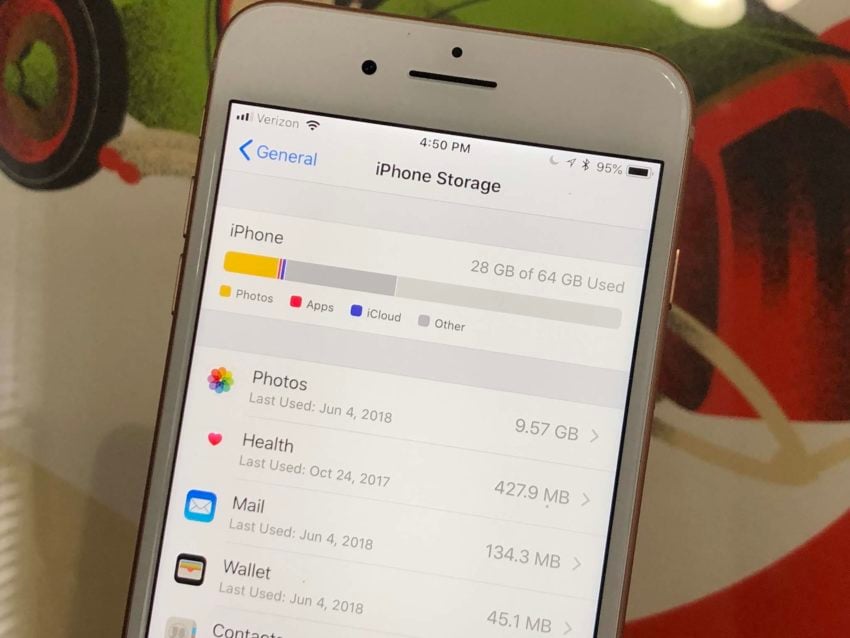
Backing up your data is arguably the most important thing you'll want to do before installing iOS 12.5.5 on your device. Data loss issues are rare, but if you store important files on your device it's much better to be safe than sorry. There's always a chance something goes wrong. Many of you already know how to backup your data, but if you need some help, we've got you covered. We have a guide that will take you through the backup process via iCloud. You can also check out Apple's guide to using iCloud. If you don't want to use iCloud, we have a guide that will take you through the backup process using iTunes. If you're running macOS Catalina or macOS Big Sur, you'll need to use Finder, not iTunes. If you store a lot of data on your device this process could take awhile to complete so you'll need to remain patient. It'll be worth it in the long run. |
|||||||||||
|
|||||||||||








10 Things to Do Before Installing iOS 12.5.5 is a post by Adam Mills from Gotta Be Mobile.


0 Commentaires